"Osborn's Checklist" User Guide
How to Use
This page explains how to use the web app "Osborn's Checklist".
First, enter the product or service for which you want to generate ideas into the input form.
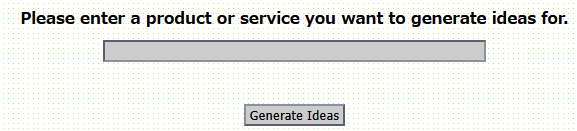
Next, click the "Generate Ideas" button. Your entered product or service will then appear within Osborn's Checklist prompts.
For example, enter the word "Scissors." The word "Scissors" will then be inserted into the checklist as the target for idea generation, as shown below.
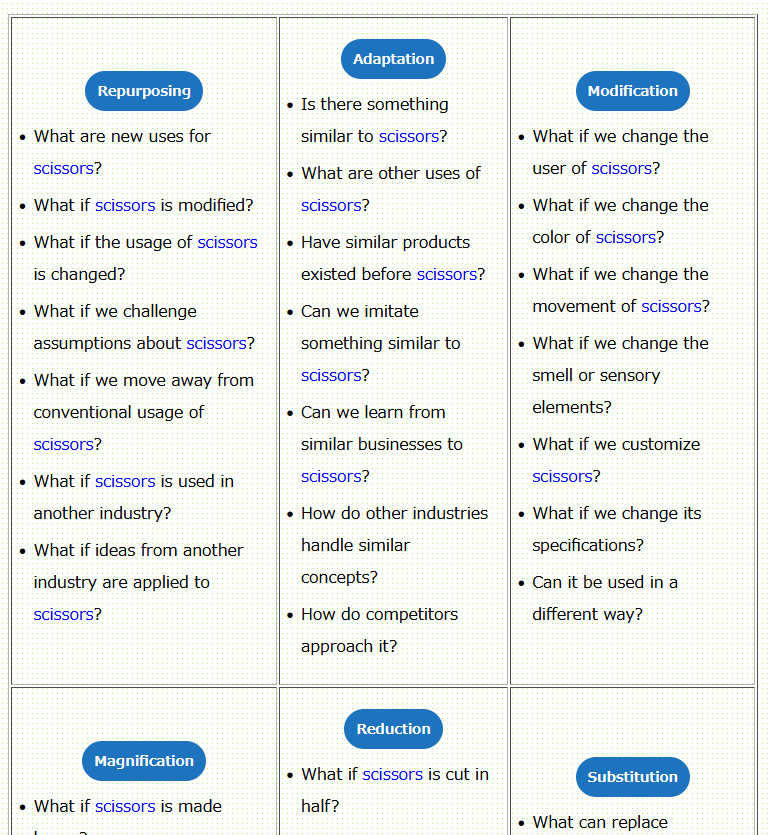
Use this checklist to brainstorm new improvements, features, and uses for "Scissors."
What Is Osborn's Checklist?
Osborn's Checklist is a type of forced brainstorming technique. It uses nine categories of creative prompts designed to stimulate idea generation while reviewing a checklist.
Idea generation often follows recognizable patterns.
Osborn's Checklist helps create new ideas by turning these creative thinking patterns into a structured checklist.
The nine checklist patterns are as follows:
-
Put to Other Uses?
Can it be used differently in its current form? -
Adapt?
Can ideas from other products or fields be borrowed? -
Modify?
What happens if you change the meaning, color, movement, smell, or shape? -
Magnify?
What happens if you make it bigger, longer, more frequent, or extend its usage time? -
Minify?
What happens if you make it smaller, shorter, lighter, compressed, or faster? -
Substitute?
Can you replace people, materials, locations, or methods? -
Rearrange?
What happens if you swap parts or change the order? -
Reverse?
What happens if you turn it upside down or reverse roles and directions? -
Combine?
What happens if you merge, mix, or combine it with something else?
Additional Notes
The idea-generation checklist is displayed in nine separate sections. The checklist categories appear in the header areas. Additionally, concrete examples are shown underneath each category to make brainstorming easier.
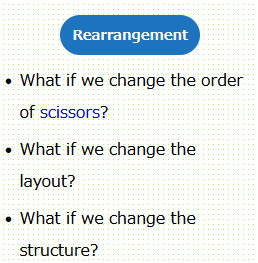
If generating ideas using only the checklist words feels difficult, the examples shown below can help inspire new concepts more easily.
However, be careful not to rely too heavily on the examples below. Doing so may limit your free and creative thinking.
The main focus should always be the checklist keywords themselves. For example, in the case above, you should focus on the keyword "Put to Other Uses" and brainstorm from that perspective.
You can access the web app "Osborn's Checklist" here.
Go to Osborn's Checklist